
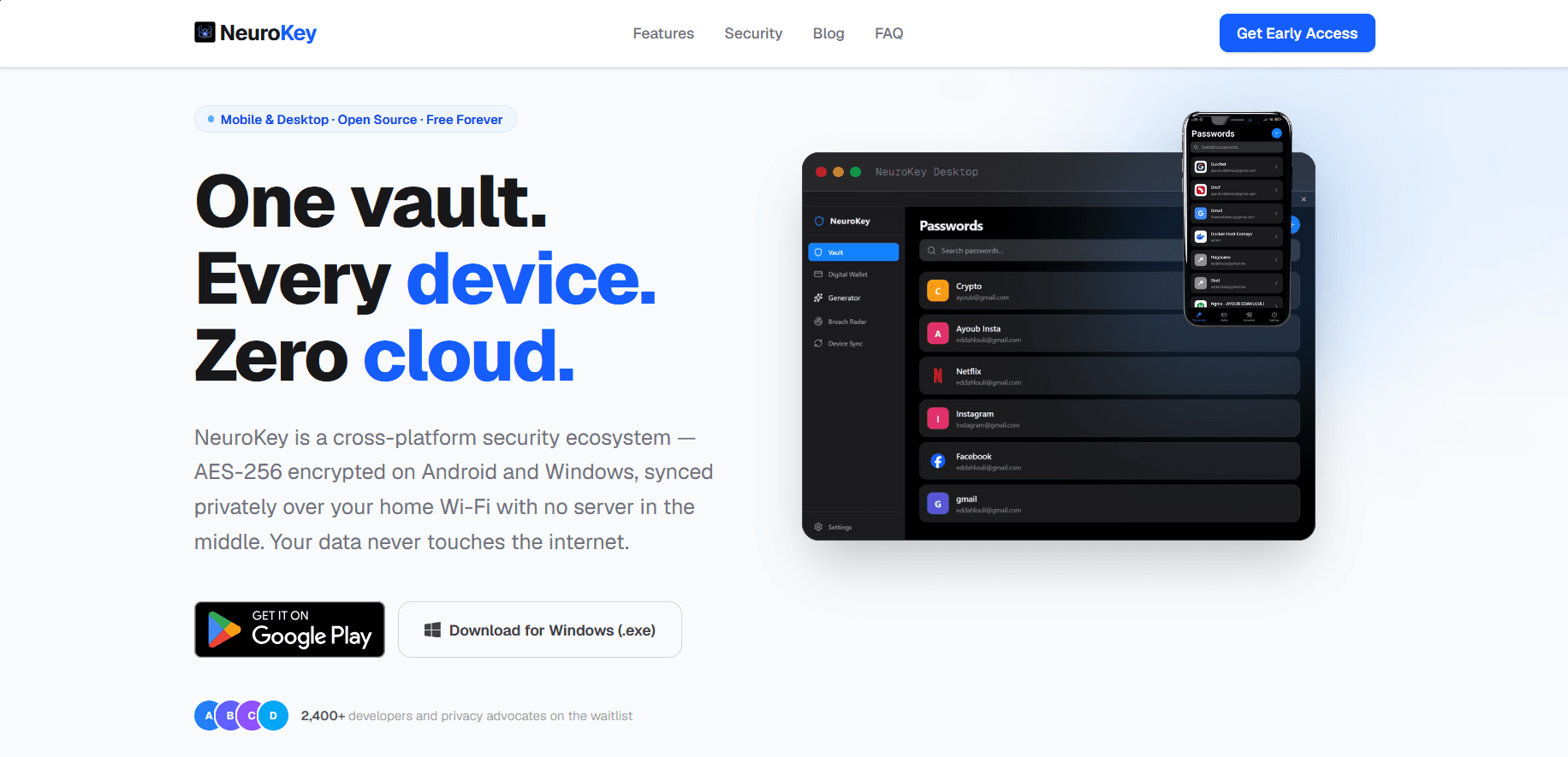
Overview
NeuroKey is a free, offline-first password manager and digital wallet for Android and Windows. There is no account, no cloud and no server: the vault lives only on the user’s devices, and phone and computer sync directly over the local Wi-Fi network. I designed and built the whole ecosystem on my own — the mobile app, the desktop app, the local sync protocol and the product website.
The challenge
- Offer the convenience people expect from a password manager — biometric unlock, multi-device access, breach alerts — without relying on any cloud service.
- Keep the vault safe even if a device is lost or someone is on the same Wi-Fi network.
- Ship two native-feeling apps on very different platforms while keeping their data format and sync protocol perfectly compatible.
What I built
Android app
Built with React Native and Expo: password vault, digital wallet for bank and loyalty cards, a configurable password generator, security tips, auto-lock when the app goes to the background, and biometric unlock with the master password as fallback. Published on Google Play.
Windows desktop app
Built with Tauri 2 — a Rust core with a React, TypeScript and Tailwind interface — producing a lightweight native installer instead of a heavy Electron bundle. It includes the full vault, wallet and generator, an activity-based auto-lock and a Breach Radar that checks passwords against known leaks.
Cloudless device sync
The desktop app runs a small local server written in Rust (Axum, Tokio) and displays a QR code. The phone scans it and both vaults are exchanged and merged with a last-write-wins strategy based on timestamps; deleted entries are kept as tombstones so deletions propagate correctly in both directions.
Product website
A Next.js site presenting the product, its security model, an FAQ, a changelog, a roadmap and a blog about password security.
Security architecture
After the first beta, I ran a security review of my own code and re-architected the critical parts. The current design:
- Encryption at rest: the entire vault is encrypted with AES-256 and protected by an HMAC-SHA256 tag (encrypt-then-MAC), so any tampering is detected before decryption. The key only lives in memory while the vault is unlocked.
- Key derivation: PBKDF2-SHA256 with a random salt — 600,000 iterations on desktop through native WebCrypto, 100,000 on mobile. Parameters are stored per vault so they can be raised later, and existing vaults are migrated transparently on the next login.
- Biometric unlock: the vault key — never the master password — is stored in the hardware-backed Android Keystore and released only after a successful biometric check.
- Authenticated sync: each QR code carries a one-time session ID and a fresh 256-bit key that never crosses the network. Payloads are encrypted and authenticated with it, sessions are single-use and expire after five minutes, and the Rust server only relays opaque ciphertext.
- Privacy-preserving breach checks: k-anonymity against the Have I Been Pwned database — only the first five characters of a password’s SHA-1 hash ever leave the device.
- Secure randomness: generated passwords come from the OS cryptographically secure random source, with rejection sampling to avoid bias.
Both apps share a byte-compatible encryption format, verified by automated cross-platform tests (encryption interoperability, tamper detection, wrong-key rejection and legacy migration).
Tech stack
- Mobile: React Native, Expo, expo-secure-store, expo-local-authentication, expo-camera.
- Desktop: Tauri 2, Rust (Axum, Tokio), React, TypeScript, Tailwind CSS, Zustand.
- Cryptography: AES-256, HMAC-SHA256, PBKDF2-SHA256 (WebCrypto and crypto-js), Android Keystore.
- Website: Next.js, TypeScript, Framer Motion.
Outcome
- A complete cross-platform product — mobile, desktop and website — designed, built and published by a single developer.
- A sync system that works without any server, account or internet connection.
- A security model I can explain line by line, documented publicly on the product’s security page.